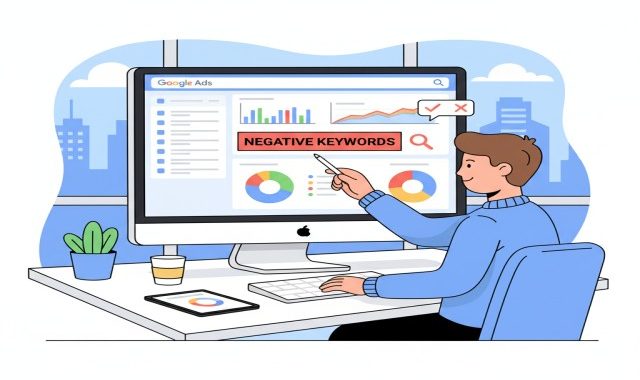
The Power of Negative Keywords in Google Ads Campaigns
When running Google Ads, most marketers tend to focus on selecting the right keywords, but it’s actually knowing what words not to target that’s the secret to saving money and increasing ad performance. These are called negative keywords.
In this blog, we will explain what negative keywords are, why they are so important, and how you can use them to get better results from your Google Ads campaigns.

What Are Negative Keywords?
Negative keywords are the words or phrases that you tell Google not to show your ads for.
For example, if you’re selling high-end “leather shoes,” you wouldn’t want your ad to appear when a person searches for “cheap leather shoes.”
By adding the word “cheap” as a negative keyword, it will prevent your ad from appearing for people who are unlikely to buy your product, which saves your budget for real customers.
Speaking simply, negative keywords filter out irrelevant traffic, ensuring that your ads reach only those who actually need what you offer.
Why Negative Keywords Matter
Negative keywords are among the most powerful tools within Google AdWords because they help you:
Save Money:
With CPC marketing, you never pay for clicks that don’t convert.
Increase Relevance:
Your ads are shown only to the right audience, improving quality score and ad performance.
Improve Click-Through Rate (CTR):
By removing irrelevant searches, more of your impressions are from people that are actually interested in your offer.
Improve Conversion Rate:
This may be because more qualified leads are seeing your ad, increasing chances of sales or sign-ups.
Improve ROI
Every click you pay for is more valuable when it comes from the right audience.
In other words, negative keywords keep your campaigns clean and focused.
How Negative Keywords Work
When you add a negative keyword, Google Ads will exclude your ad from searches containing that term.
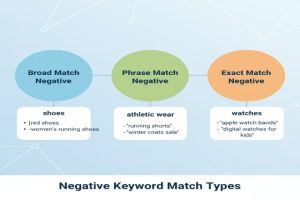
There are three main types of keyword match types for negative keywords:
Broad Match Negative:
Your ad won’t show if the search includes all your negative keyword terms in any order.

Phrase Match Negative:
Your ad won’t show if the exact phrase appears in the search, even if other words are around it.
1.Exact Match Negative:
Example: The negative keyword [cheap shoes] will block only that one search term — “cheap shoes,” and not “cheap shoes for men.”
Here are some practical examples of negative keywords from different industries:
E-commerce: free, cheap, discount, second-hand, wholesale
Education: Jobs, Careers, Salaries, Free Courses.
These catch-words are likely to appeal to people looking for free or low-cost services, not exactly the target group.
How to Find Negative Keywords
Navigate to your Google Ads account and open the Search Terms Report.
This report shows the exact phrases that people used to trigger your ads.

2. Google Keyword Planner
This helps you catch unwanted variations that don’t match your intention.
Now search your main keyword on Google and look at the ads that appear.
You can often identify search terms that are attracting the wrong kind of attention.
You can easily predict what words don’t fit with your audience when you know who your customers are.
How to Add Negative Keywords in Google Ads
Adding negative keywords is pretty straightforward. Here’s how:
Sign in to your Google Ads account.
Click on your campaign or ad group.
Select Keywords from the left menu.
Add your negative keywords manually, or upload a list.
You can add them at different levels:
Campaign Level:
It impacts all ad groups that are part of the campaign.
Ad Group Level: This applies only to one ad group.
Add common negative keywords at the campaign level, then refine them at the ad group level for better control.
Creating a Negative Keyword List
Instead of adding negative keywords manually to every campaign, you can create a shared negative keyword list.
Benefits:
Saves time
Keeps campaigns consistent
Prevents repeated mistakes

To make one:
Go to Tools & Settings > Shared Library > Negative Keyword Lists.
Start a new list and add your keywords.
Apply it to multiple campaigns.
This way, large accounts are way easier to manage, and your targeting is clean.
How to Effectively Use Negative Keywords
Here are some quick yet powerful tips to make the most of your negative keyword strategy:
Check your search terms report regularly.
Keep your list up to date every week or month.
Avoid overusing negative keywords.
Broad negatives sometimes block more than you’d intended.
Apply phrase or exact match when necessary. Keep irrelevant locations or industries excluded.
For instance, with “yoga classes,” you would want to exclude “teacher jobs” or “yoga certifications.
” Follow the changes in CTR, conversions, and cost per conversion over time.
