Skip to content
Home » The Beginner's Guide to Google Ads: How to Run Your First Campaign
The Beginner’s Guide to Google Ads: How to Run Your First Campaign
If you have ever used Google to search for something, then you must have seen the set of ads atop the results. It is one of the most powerful online advertising platforms, which helps businesses reach potential customers at the exact moment they are searching for products or services.
In this how-to guide, we will take you through a step-by-step approach in setting up and running your first Google Ads campaign, even if you are a complete beginner.
What is Google Ads?
Google Ad Words is a web advertising method composed of small advertisements that can be put on Google search results and YouTube, among other partnered websites. You pay only if people click your ad; hence, it is called Pay-Per-Click advertising.
It’s a simple concept:
You’re designing an ad.
Target keywords that people actually search for.
Your ad appears when users search those keywords.
If they click, then you pay Google some small fee.
Why use Google Ads?
Following are some of the major reasons why Google Ads are an indispensable tool for any business:
Huge Reach: Google conducts over 8.5 billion searches daily. Your ad can reach thousands instantly with such a huge reach.
Targeting: You can target by keyword, location, age, and even device.
Budget control: you can decide how much to spend, and there is no minimum.
Measurable results include the fact that, with Google Ads, analytics are in real time, tracking every click and every conversion.
Fast Results: Unlike SEO, Google Ads can display traffic just hours from the beginning of a campaign.
Step 1: Create Your Google Ads Account
First things first:
Go to ads.google.com
Happy World Intellectual Property Day.
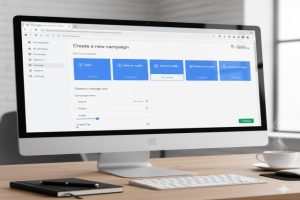
Click “Start Now.”
Log in by using your Gmail account.
Choose from a variety of desired ad objectives, such as website traffic, leads, or sales.
Once you’re done, it will take you to your dashboard from where you can create and manage all your campaigns.
Pro Tip: Choose “Expert Mode” if you want full control over your campaigns-not Google’s simplified setup.
Continue reading→